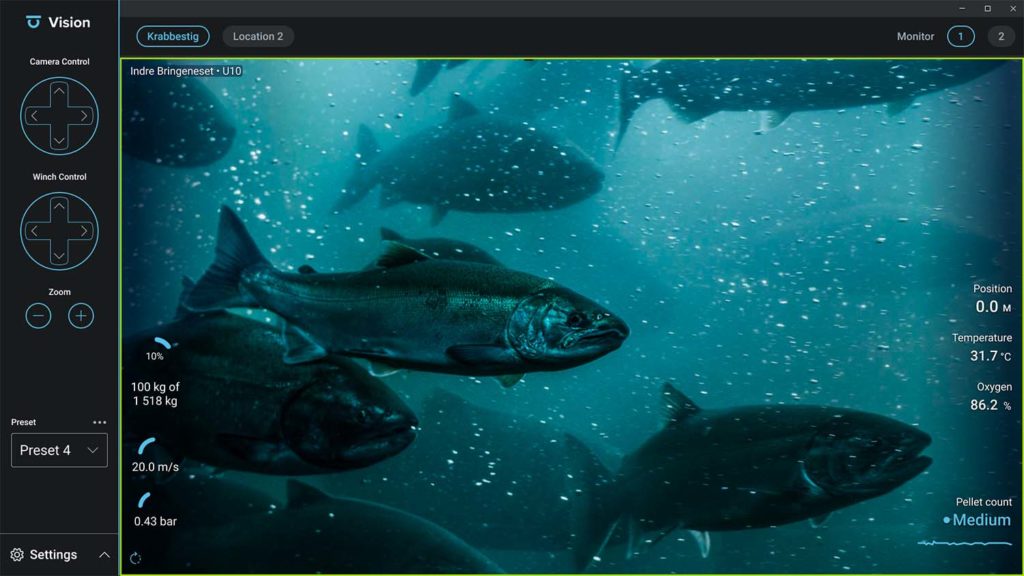
ScaleAQ softwares are continuously improved with new functionality, performance improvements and bug fixes. After a successful release of Vision 2.0 this summer we are now moving on to version 2.2. Read on to see the changes in the latest version.
Our development is as always customer centric, and the updates below are mainly a result of feedback from the early adaptors of the software.
Highlights:
Integration with FeedStation – Control feeding by gamepad
Many of you prefer the gamepad for camera and feeding control. In Vision 2.2 you can now start and stop the feeding using the gamepad. In addition, you can adjust the intensity and show/hide the information overlay on the video stream. This functionality comes in addition to the camera controls always available in Vision.
UltraWide QHD+ support and new camera grouping
With the support for 16:9 ratio in both ScaleAQ cameras and control software, many are choosing larger and wider screens. The new aspect ratio support allows you to utilize more of your screen for video streams or choose the 2×4 stream layout for event better overview in a single screen. Grouping of cameras are now even easier, just drag and drop the video streams to tailor the setup to your preferences.
All improvements:
- Application startup time is now super fast (1-2 seconds)
- Vision 2.2 now supports UltraWide QHD+ screens with 3840 x 1600 resolution.
- New camera group option – 2×4 stream layout to utilize UltraWide screens
- Added support for our newest camera series – Orbit HD Fixed
- Added support for our new modular cage interface unit (CIU)
- New camera group option – select between 4:3 or 16:9 aspect ratio
- Search options for cameras and sites to ease configuration in remote feeding scenarios
- Integration with FeedStation – Control feeding by gamepad
- Configuration of FeedStation integration inside configuration tool.
- Integration with FeedStation – Feeding information overlay inside video stream
- General performance and stability improvements